During my last ROV mission a few days ago, I had a connection problem between my PC and my Bluerov.
When connecting the FXTI box to my PC, the PC correctly detects the USB/Ethernet adapter and is activated, but no data packets are received from the ROV, and therefore there is no connection between the ROV and QGroundControl.
However, I was able to ping the ROV’s navigator without any packet loss.
At first, I thought it was instability due to my PC’s USB ports because I briefly received a few data packets and QGroundControl told me that the connection was active, but this only lasted for one or two seconds.
I tried ton update the drivers of the adaptors but then my computer recognize the FXTI as a CD-ROM…
IP adresses are good
I have tried rebooting the topside, the ROV, and QGC several times.
I switched out the FXTI USB cable.
I reinstalled QGC.
So at the end I opened the FXTI box and connected the USB-B cable to my PC to power the FXTI box, and I also connected the USB/Ethernet adapter directly to my PC, and everything worked correctly in this configuration without any instability.
When I got back to the workshop, I tested my three other FXTI boxes, thinking that only one of them was faulty, but all the other boxes had the same problem.
The problem was still present when testing on several different PCs and several different ROVs.
Could the problem be caused by a possible Windows update that is causing driver conflicts?
Could the FXTI box’s 5V redistribution card be the cause of the problem? But that would seem strange to me because all three boxes are faulty.
Hi @Mravitch, sorry to hear you’re having connection issues.
This sounds like the issue is either one of network configuration, or in some other part of the hardware (e.g. your tether may not be connected properly at one end, or may be damaged). The tether diagnostics extension may help to detect and troubleshoot issues, along with the “link active” LED on the FXTI box.
If you’re using a tether with multiple pairs of wire, maybe try a different pair?
The Navigator doesn’t run any code - presumably you mean the onboard computer (Raspberry Pi), running BlueOS? How were you pinging it? That ping may have gone over wifi, rather than through the tether, or some other network option that QGroundControl is not configured to connect to.
Did you make sure the cable you replaced it with supports data transfer? Some cables are power only.
Given the CD ROM “detection”, maybe, but that’s confusing given you said it worked fine to connect to the same USB-ethernet converter just without the cable swap in the middle (which shouldn’t influence how it presents itself.
I’d recommend you submit a product problem support request, so the issue can be more readily resolved, and we can include it in internal tracking of problems (in case it’s indicative or representative of a broader issue).
The network configuration seems ok because its the same one i’ve used for a long time with those ROV so yes maybe some hardware issues but don’t know wich one.
i’ve also tried with different tether cables but the problem persist. The “link active LED” is on but no connection.
yes sorry i meant the Rasp pi. I was performing a simple “ping 192.168.2.2”
the wifi was disable all the time.
yes it was
Thank you for your help, I will during the day send another post with some more details and pictures to illustrate my issue.
everything works well, packets are received, i am able to ping the Raspi, I have the control on my ROV with Qgroundcontrol.
I tried with 3 different FXTI modules, 4 different computers, 2 different ROVs, 3 different thether cables, 4 different usb to ethernet adapters and it seems its this “FXTI-ELEC-USB-PCB-R1” blue electronic card the issue.
but this card is mostly “nothing”, it just share the 5V from the usb connection to the Fathom-X board.
If things work ok when you connect the usb to ethernet adapter to your computer, the issue is indeed likely to be the blue PCB that connects the USB type A to the internal USB to ethernet adapter. This board branches off 5V to power the Fathom-X, but if the usb data connection on either end of it has a corroded contact, you may not get data thru.
You can special-order that component, or continue using it with the workaround you’ve discovered, or if this is from a recent order potentially receive a replacement. Please reach out via the help center, report a problem with a product.


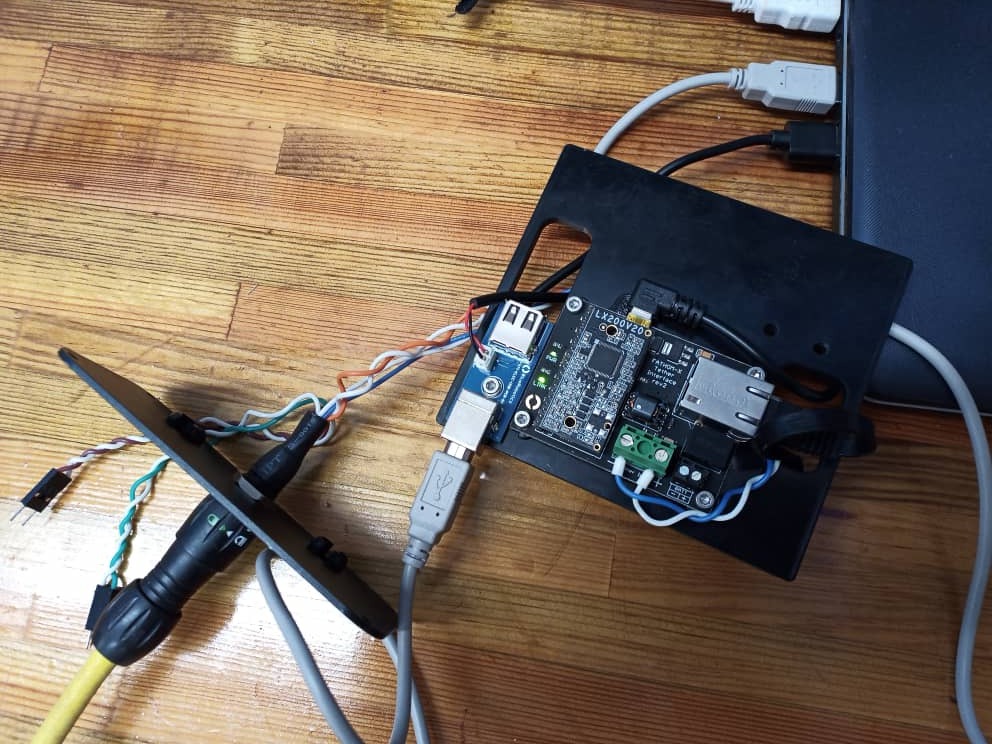
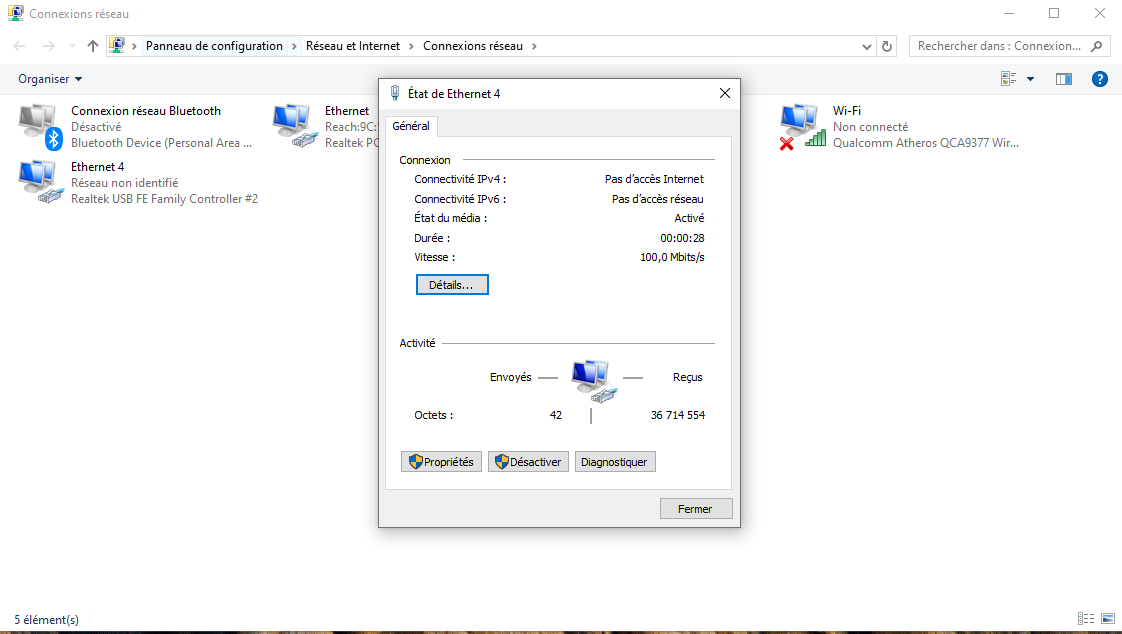
 and everything is functioning very well