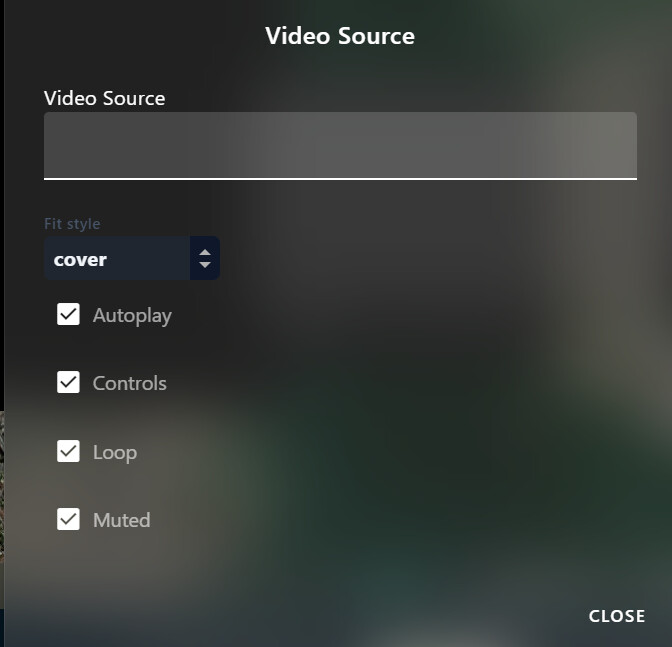
I was wondering what is proper format the URL Video Player from the cockpit interface expects, like what should I do write in to the text area, in case I have gsreamer stream
Should I run some client on pc side that accept that stream and reformat it or should I send it differently?
In case I can’t change how it’s been send how I can see in the cockpit.
I feel like there are a lot of customization can be done with cockpit, and it’s quite flexible but still feels like you need to know a lot in advance and kinda instictively guess correct/proper setup for whatever custom things you want
If you have added a camera stream on the Video Streams page, then you don’t use the URL Video player - it is intended for things like RTSP IP security cameras…. What type of camera are you trying to use? If you add the camera as a restream source, it will be accessed in Cockpit via the standard video widget….
I am using the dwe exploreHD cameras, again the reason I was thinking to use that widget is to receive postproccessed video like after some computer vision algorithm for image processing to show it in one place (I thought cockpit might an option, rather than having multiple windows and terminals). I was trying to use gstreamer because using it with simple streams and receiving script from terminal never cause any lagging issue, the video was smooth using the ver same network.
I still don’t get it, where I can specify in cockpit where it get the video. WebRTC setting or it’s automatically receives anything declared in the camera manager in blueos?
Our recommended approach for sending video streams to Cockpit is via WebRTC streams from MAVLink Camera Manager (MCM), which there’s an instance of included in BlueOS.
If you provide your processed stream to MCM as an RTSP stream, you can make a “Redirect Stream” endpoint for it, which will then be automatically passed on to Cockpit via WebRTC. This applies equally for a video stream on your vehicle getting passed through MCM to the topside, as to a stream that’s processed on the topside, connected to an extra MCM instance running on the topside, and passed to Cockpit. In the latter situation, you may need to adjust the WebRTC video connection URI in Cockpit’s General settings, since the video connection won’t be from the vehicle.
The URL video player can be convenient for testing at times, but because it doesn’t support recording or provide stream statistics we typically don’t recommend using it.