Hi everyone,
I’m new to this technology and I appreciate any guidance or advice you can offer.
I’m currently configuring a BlueBoat with a Ping2 sonar and an external Leica GNSS.
I have a few questions regarding the setup and data processing:
What is the system reference center of the boat for combining GNSS, IMU and ping data?
Where can I set the offsets for these instruments relative to the boat’s geometric reference point, ensuring the recorded data is consistent across all sensors?
If the GNSS system is not vertical during navigation, does the system correct the position using the data recorded by the BlueBoat’s IMU?
We are using the “simple ping2 survey” extension. Does it take into account the offsets (x,y,z, ping - gps -imu) that I want to set in the data it records?
Hi @MatteoBucci -
Welcome to the forums!
The “center” of the boat is the Navigator, however you can set offset parameters so the system knows its IMU is located offset from the true center point of the vehicle.
Besides those offset parameters, you can also set offset parameters for both the GPS and the RangeFinder. All this is explained at that link!
Once setup, the data recorded by the simple ping survey extension will indeed account for the relative position of the instruments.
Hi @tony-white , thank you for your reply!
We ran some tests following your recommendations, both with the Ping2 and with the Surveyor 240-16 MBeam. The results we obtained don’t seem to take the entered offsets into account, as the output values remain the same even when the parameters are changed.
Are there any files (for example among the various files in the file browser) where the input parameters (offsets, IMU values, GPS, etc.) for the different survey missions are recorded, so that we can verify whether they are correctly set?
During data recording, is the NMEA message sent by our external GNSS also logged? If so, is it possible to download it? If it is not saved, how can I view the message in real time?
Hi @MatteoBucci -
Yes, the .BIN log file holds a copy of your parameters - please share one so we can see what is happening!
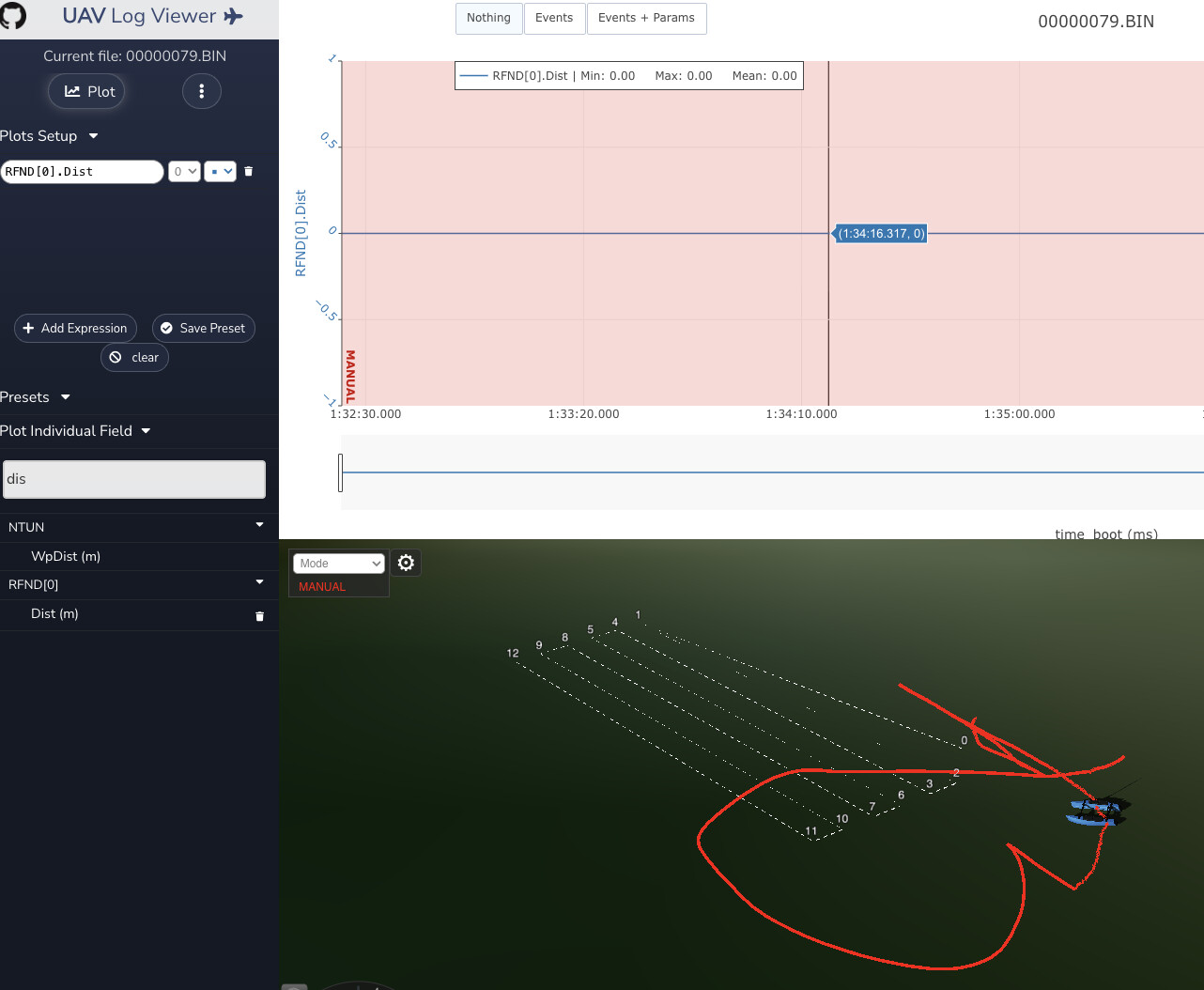
If the GPS data is being properly consumed by the autopilot, it is also in this log file. You can view with this tool, and find here.
Hi @MatteoBucci
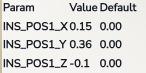
I found that log file to have these parameters, so you’ve changed the default successfully.
For the Surveyor multibeam, it will in no way be affected by the offsets in the firmware, as far as I know…
A single beam sonar reporting mavlink messages to the autopilot (aka RangeFinder) will have the offset applied, but it may record the raw value in the log and only apply the offset when doing obstacle avoidance calculations?
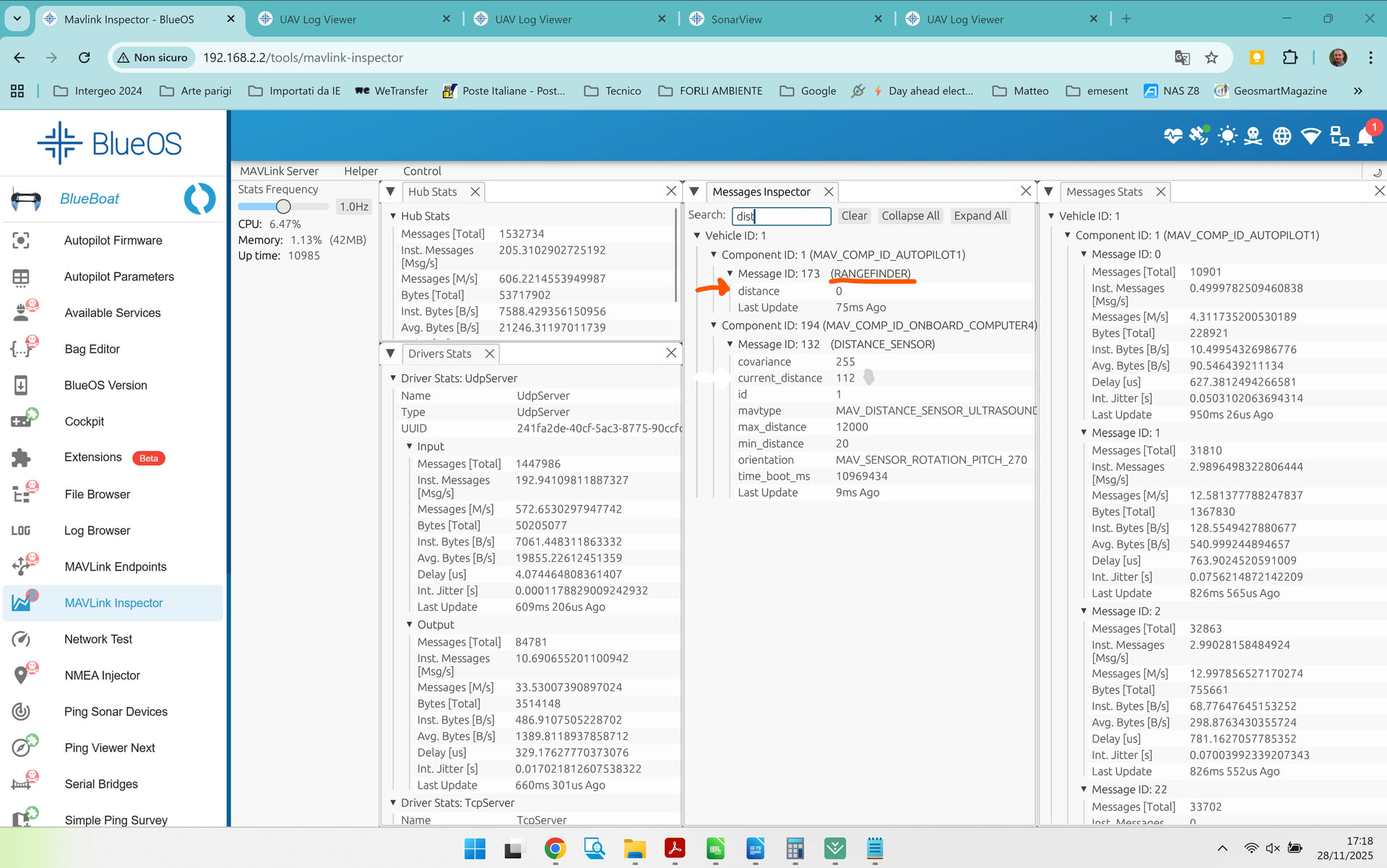
Your logs don’t have any rangefinder distance (just 0) so maybe you need to turn that on under Ping Sonar devices, mavlink distances, in BlueOS?
So, as far as you know, for the Surveyor 240-16, the only way to set the offsets is by entering them inside SonarView?
As for the Ping, in the DISTANCE_SENSOR (132), I can assign the type, which in our case would be: 1 MAV_DISTANCE_SENSOR_ULTRASOUND (Ultrasound rangefinder, e.g. MaxBotix units);
but it doesn’t seem like I can set the values there. Do you have any other suggestions for making the system receive these values?
It could be that there is no rangefinder distance (just 0) because the type should be set to: ‘1 MAV_DISTANCE_SENSOR_ULTRASOUND (Ultrasound rangefinder, e.g., MaxBotix units)’?"
From a quick check of your parameters, your RNGFND1_TYPE parameter seems to have been changed from the default value (MAVLink (10)) to BlueRoboticsPing (23), which will not work if you have otherwise followed our standard installation+setup instructions.
That means the autopilot firmware is expecting/trying to directly connect to the sonar via serial, but it has no access to it (because the relevant serial port has been unmapped from the autopilot, so the BlueOS ping service can use it[1]), while it also ignores the incoming MAVLink messages from the BlueOS ping service reporting the sensor’s distance estimates.
Can you try changing that parameter to MAVLink (10), and seeing whether it resolves your issue?
For context, this allows simultaneously connecting to the Ping Sonar using Ping Viewer and other control/visualisation software, which provides access to full sonar profiles instead of just the sensor’s distance estimates. ↩︎
There are two viable options, and you’re partway between them in both cases.
If you want to have access to the ping profiles (e.g. using Ping Viewer or a variant) then the autopilot cannot be in control of the sensor - it should receive messages from the BlueOS ping service via MAVLink.
That matches our setup instructions, whereby:
RNGFND1_TYPE is left as the default (MAVLink (10))
/dev/ttyAMA1 is not assigned to any autopilot serial port (we suggest achieving this by just disconnecting serial port 3, in which case SERIAL3_PROTOCOL is largely irrelevant, but can be set to None (-1) if you want extra peace of mind)
thanks for the information. After setting things the way you suggested, I can now see the rangefinder distance, so I think that part is fine.
However, I’m not sure the system is considering the other parameters (IMU, RNGFND, GPS _pos).
I set RNGFND1_POS_X = 1 to check whether EKF3 actually uses the assigned offsets.
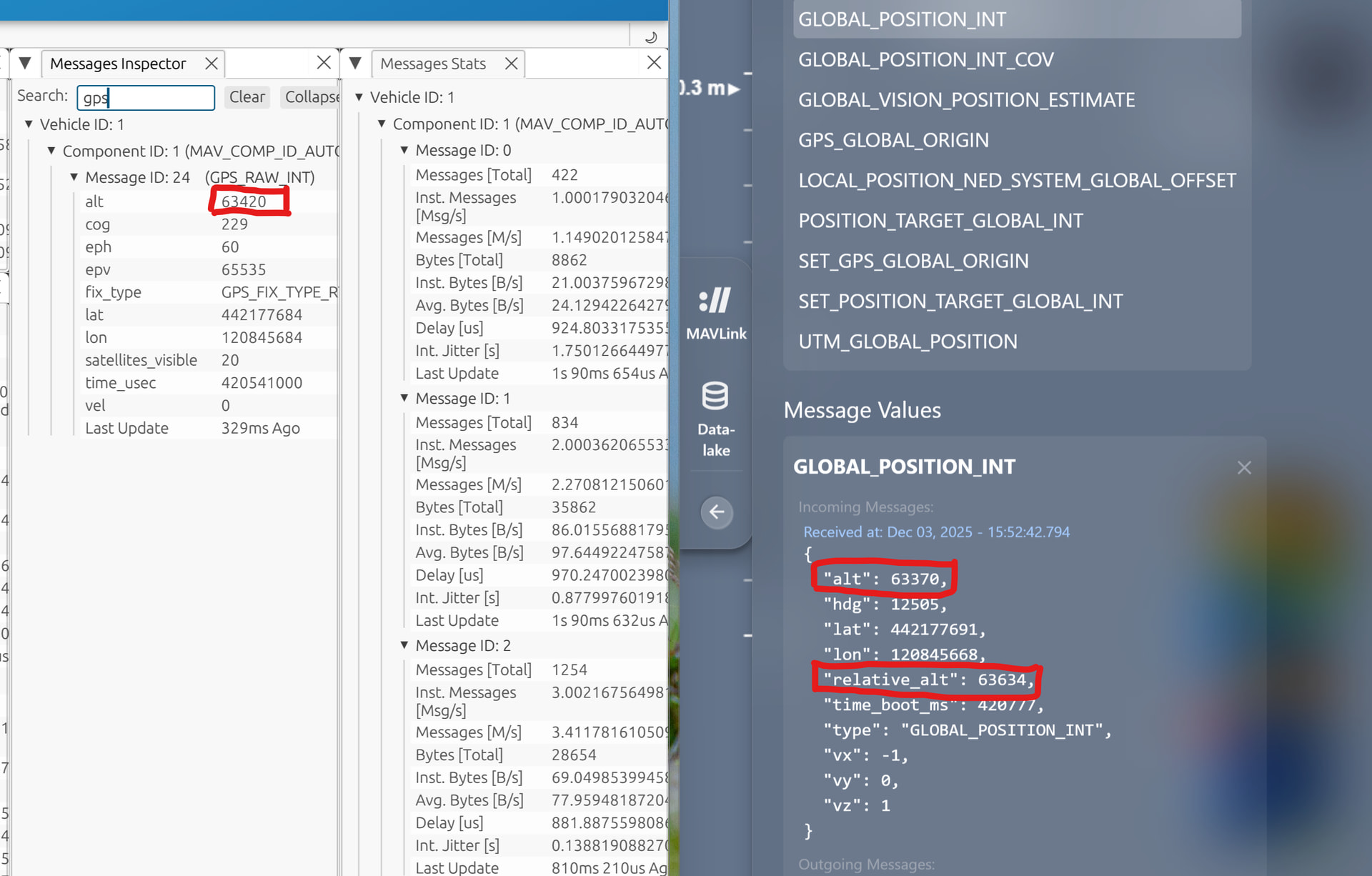
If I understood correctly, in the MAVLink Inspector:
distance_sensor – current distance (this is the raw data read by the Ping)
rangefinder (also the raw data read by the Ping)
global_position_int – “alt” and “relative_alt” (this should be the altitude from the GPS corrected according to the offsets)
But when I check the GPS altitude, it’s identical to the “alt” value in global_position_int, so I don’t think it’s taking the offsets into account.
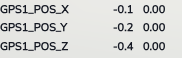
I tried the same test with GPS1_POS_Z = 2 [m], but the three values remain the same, as shown in the image.
As mentioned previously, the offsets may only be used when performing automatic obstacle avoidance. Changing the GPS pos only helps tell the autopilot where the GPS antenna is relative to the IMU and vehicle center of mass, it’s not expected to impact the Global_Position_Int…but it can (slightly) improve automatic navigation?
If your goal is to GPS height when considering survey data, only RTK systems would have a z position that’s worth using - the standard BlueBoat GPS is sub-meter (often) in X*Y, but likely not in Z? It’s likely easiest to apply any offsets between the vehicle position and sonar location after the fact, along with any tide height offsets.
Yes, that was clear.
In our case we replaced the BlueBoat GPS with one that works in NRTK (with an accuracy of a couple of centimeters).
The GPS is not positioned planimetrically (x, y) at the same location as the IMU nor the Surveyor 240-16, nor the ping.
Therefore, our idea was to set the IMU, GPS, and Ping offsets relative to the vehicle’s center of mass, and the Z offset relative to the waterline.
Then, in SonarView, set the offsets of the Surveyor 240-16 relative to the same geometric center, so that we can obtain the correct coordinates for the output point cloud.
Since you mentioned that the offset cannot influence the coordinates sent via MAVLink to SonarView, what configuration would you recommend?
For example, would it be sufficient to avoid setting offsets in ArduPilot and instead enter the Surveyor 240-16 offsets in SonarView relative to the GPS position?
From the message specification, the alt field is supposed to be relative to mean sea level, and relative_alt is relative to the home location. If I’m understanding that correctly[1], neither of those should consider absolute rangefinder measurements - just the GPS and/or barometer, or the change in rangefinder from the start.
What source(s) are you using for altitude? The EK3_SRCx_POSZ parameters determine that, and if it’s the barometer then your only relevant offset would be BARO_ALT_OFFSET.
There is some documentation on different altitudes in the ArduCopter wiki, which may help to clarify some things, but that’s also not included in the ArduRover wiki, presumably because rovers (boats included) have no direct control over altitude, so there’s likely no altitude controller - just measurements and estimates of the current state.
That said, I’m at the limits of my experience here, and am mostly drawing (potentially tenuous) conclusions from what I can find and read - you may have more luck asking detailed questions about these ArduPilot internals over in the general ArduPilot forum.
which I may not be - ArduPilot doesn’t always strictly follow MAVLink’s descriptions… ↩︎