I’m working on a setup with a Raspberry Pi 4 + Navigator running BlueOS, and I’d like to use two cameras at the same time:
1x Blue Robotics Low-Light USB Camera
1x additional USB camera (generic UVC webcam / endoscope)
My goal is to stream both cameras simultaneously to the topside (for example, one as the main pilot camera and the other as an inspection/overview camera).
Before I go too far, I’d like to know:
Has anyone successfully run two video streams at the same time from a Raspberry Pi (with BlueOS / ArduSub companion setup)?
Is this practically possible in terms of:
USB bandwidth and power on the Raspberry Pi 4
CPU load / performance when encoding and streaming both cameras
Any current limitations in BlueOS Video Streams (number of streams, endpoints, etc.)
In your experience, do I really need a powered USB hub for this, or is it reliable to plug both cameras directly into the Pi / Navigator?
If anyone has:
A working configuration,
Example GStreamer pipelines, or
Screenshots of your BlueOS video stream settings for two cameras,
I’d really appreciate if you could share some details or tips
Multiple camera support is part of what BlueOS was architected to enable.
As a direct example, it’s becoming more common for people with our vehicles to use a secondary external camera like a DWE exploreHD, which just plugs into a Raspberry Pi USB port for its power input + data output.
I’m not sure on this one - as I understand it BlueOS doesn’t support re-encoding, so the extent of its packet modification is wrapping higher bandwidth encodings (like MJPG and YUYV) in RTSP packets, so they can be received and toggled between by a software like QGroundControl, or providing H264 streams over WebRTC to be displayed (including multiple simultaneously) by Cockpit.*
That said, I’m not aware of much testing that’s been done passing higher-bandwidth streams through USB - they’re normally provided by IP cameras and handled through the ethernet port (via an ethernet switch). I expect that should be ok, but you’d need to test it to be sure.
*Note: If you just want to test a stream you should be able to receive it through VLC media player using the downloadable SDP for the stream you’ve configured, but be aware that other receiving software may not support the encoding(s) you’re using.
That’s entirely dependent on the power consumption of your camera, and what other peripherals you have connected to your setup, along with what kind of current output your regulated power supply can provide.
In a standard BlueROV2 an extra USB camera is expected to be ok to power via USB (as mentioned with the exploreHD setup), but that might not be the case if you have several servos connected, or are using a weaker power supply.
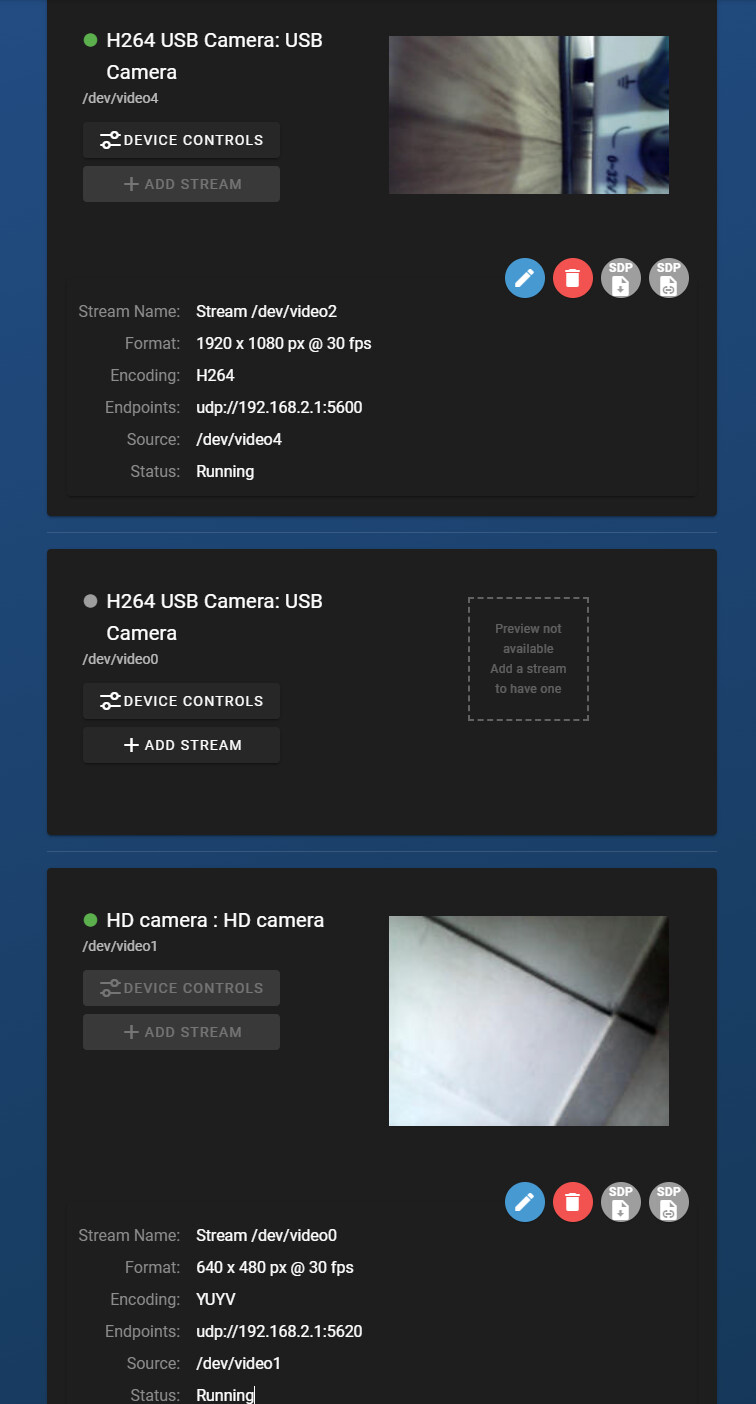
From your screenshot, your two streams are already set up and running - otherwise they wouldn’t both be marked as running, or have visible thumbnail images being pulled from the streams.
Hi @DanBRS -
Just to add on to what Eliot shared - the second stream you have configured is using YUYV encoding, which is an uncompressed format not supported by Cockpit or QGC! You’ll want to use a camera that has H264 output, and then everything just works.
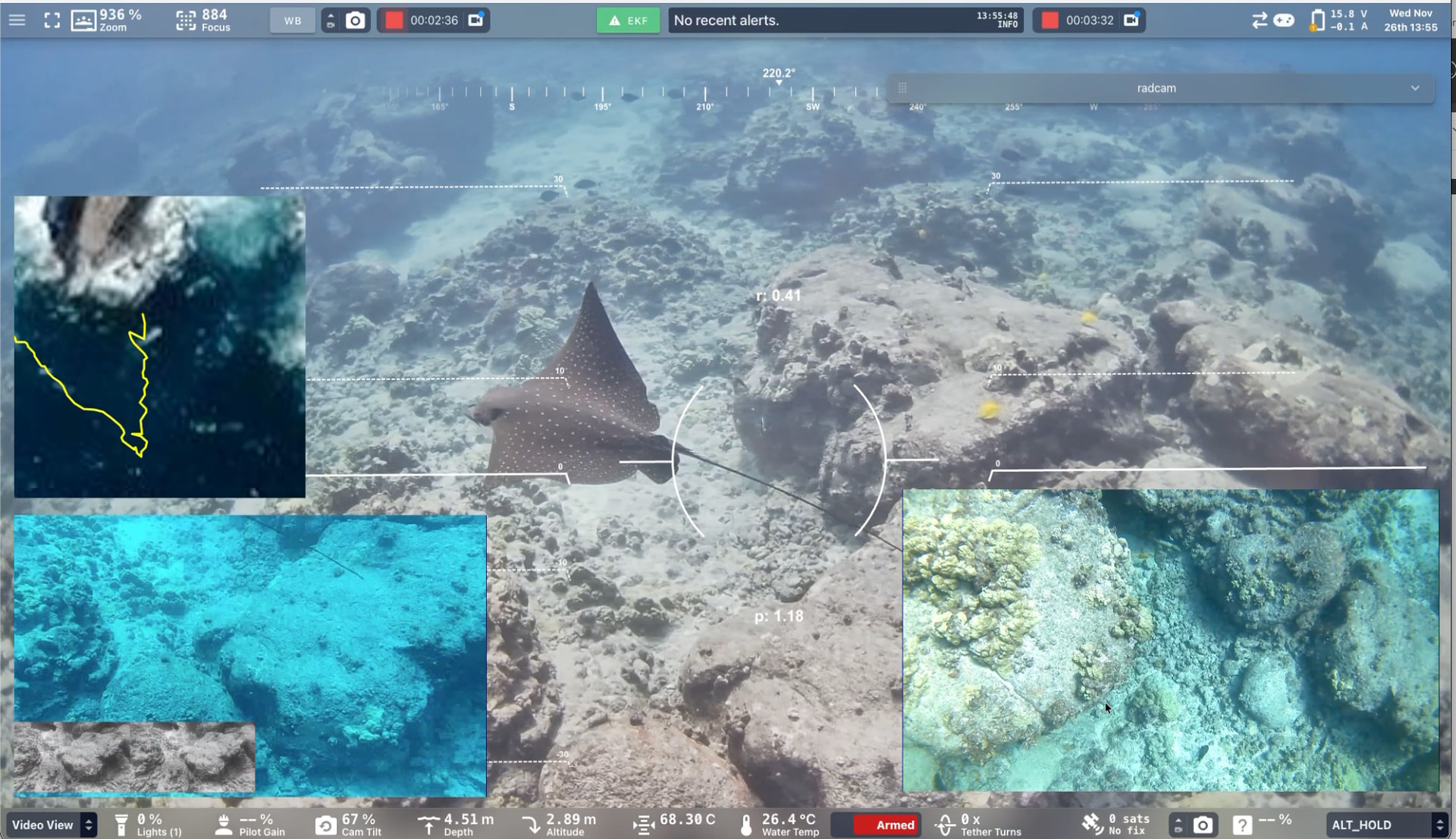
Here is a screenshot from some testing I did yesterday that illustrates that multiple streams work great!
Welcome to the forums!
Assuming you’re running with a Pi 4?
The typical limit is 3 cameras - 4 may be possible, but the 5V USB doesn’t have enough power to supply 4 cameras! What’s likely happening is the cameras are frequently disconnecting, and when reconnected their video device # is incrementing upwards. You could take the red-pill in the Terminal, in pirate mode, and check dmesg to verify.
If you pull the 5V power line from the USB connector and splice it to a dedicated 5V power supply, you should be able to support 4 cameras. However, it is likely not possible that every camera will always have the same stream # on start up! Let us know if you find that things aren’t remaining consistent, with 3 cameras or with 4 and correctly supplied alternative power.