Hi @Jnyberg,
Are you using the servo_n_min/max_momentary button functions? If not that may be the issue. If not it may be a controller specific thing, in which case hopefully @etienne has some idea what’s going on 
Update: I added an extra button with the assignment servo_n_center and that allows me to stop the gripper at its current position. So I am able to manually start and stop it in either direction when I please, but this is a very inefficient and inaccurate process with three buttons compared to the other controllers using the momentary feature with two buttons. I am wondering if there is no option for momentary assignments on this HCU for the buttons and only for the dials?
Hi everyone !
For our BlueROV2s running BlueOS and Cockpit, we are looking for some controllers which would be off-the-shelf, compact (anywhere from an Xbox one to a beautifully made ad-hoc controllers by @etienne , @paul-unterweiser, @an-ron , @ROV , @tciii , etc. ) and “cheap” (<500€, yes we want to have one per vehicle) but with more precise joysticks than the Xbox one (using e.g. Hall-effect joysticks).
Has anybody found something with these criteria on the market ?
More specifically, we were wondering if it is possible to use a controller like the Jumper T-Pro - AliExpress. This seems to have Hall effect joystick. It is meant for radio control since we could not find one without it, but could it also be connected to cockpit using the function “simulator: usb-c”
Hi @Eloi -
I’ve had the best luck with PS5 controllers! I’ve also been testing 8bitdo controllers, Cockpit doesn’t (yet) support their D-Pad but 6 total trigger buttons makes up for this a bit…
Generally, if you can get a joystick recognized in a html5 gamepad tester webpage, it will work with Cockpit!
Did you just put 500euro and cheap in the same sentence? For that money you could buy a Virpil Alpha.
You can buy the hall-effect gimbals as replacement parts for say a Radiomaster TX16S, then 3-D print your own controller.
Let’s say that simple gamepads are 10-100 which are very cheap, professional equipment by DeltaROV or others are 1000-10000 and I am looking for the 100-1000 price range which is indeed cheap for us.
Thanks
Cockpit has opened up a lot of controllers, including our own hand controller. It was developed for our Lanai Pro and other vehicles, but it works with Cockpit right out of the box. We usually keep them in stock.
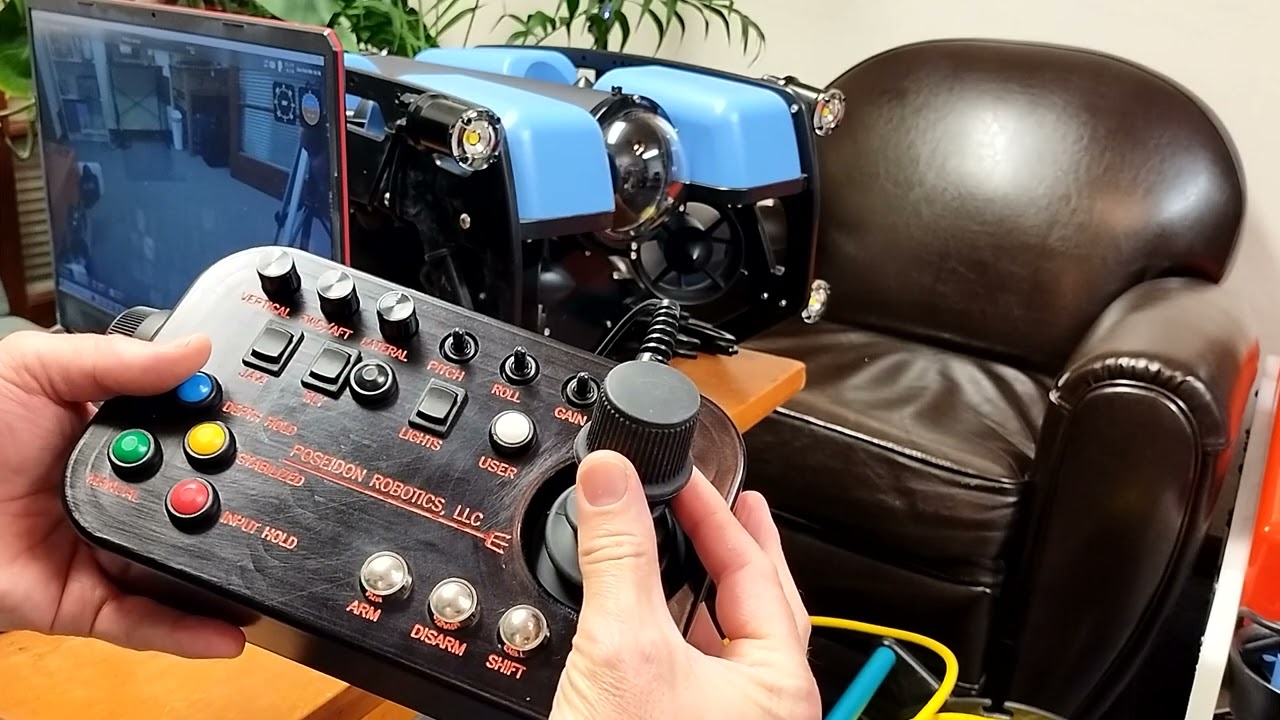
Pro Hand Controller Datasheet.pdf (400.4 KB)
Hi again Tony
I have the best luck with X-box controllers. But we do have one PS5 that sits better in hand and also can be used through USB on our Mac, the x-box one does not..
On this one the axis are set as I want them on the left axis-stick up and down and rotate, on the right one I want to have the lateral plane. But no matter what I chose amongst the letters X, Y, S, T it controls pitch and roll.
In Qground control it doesn’t make any sense at all. also the axis- tend to stick into full power. I see this in the set up page.
The controller i brand new and seem to work fully in the gamepad-tester online. Maybe you have a .json file to share?
Hi @IntoTheBlue
To control lateral motion on the right stick you’d nap that to x and y. You may have accidentally pushed a roll/pitch toggle mapped to a button that can make things go a bit weird, I recommend removing that mapping if it is present.
I’m QGC you may need to calibrate your axis if they’re not responding as expected. You would select mode 1 or 2 in that software for your desired axis control layout, vs. the default mode 3.