I have only just discovered the Snapshot feature in Cockpit - a truly great thing to have the intervalometer on! I have however had the same issue a couple of times…..testing out the intervalometer, by performing some simple photogrammetry scanning of different objects, stopping the interval between objects, then starting again, it would appear that only the first object dataset has been stored, none of the subsequent scans. Last week when I first discovered the new feature, I encountered the issue of only having images from the first scan, and thought that operator error must have been at play on the subsequent scans. Today I did another 3 scans, ensuring that I had started the interval on the second and third scans, however the images of the second and third scans are nowhere to be found. I have looked at both the image archive in cockpit, as well as the snapshot folder in the cockpit directory (where the first dataset can be found)… 
Hi @3dMB!
Thanks a lot for the report. We have indeed identified issues with the snapshot feature and we worked to resolve them all.
Two of those problems had solutions for it already merged (but not yet included in a release: the work-area snapshots not working at all and the library not showing some snapshot entries.
From your report I could actually understand we had two extra issues, that I have opened PRs for during this morning: the timed capture configuration not persisting between boots and errors in the capture not being communicated to the user. This last one could happen if a stream had disconnected or having a consistency problem.
I have put the two remaining PRs in fast-track and asked my colleagues to review as soon as possible. We are going to release a new Beta version in the next hours with all the fixes in place.
@3dMB Beta11 is out with all of the mentioned fixes. Please let us know if it solves all the problems you mentioned 
Thanks @rafael.lehmkuhl, I’ll give it a good test tomorrow 
Tried on two ROVs today. ROV1: the recording was fine on the first scan, however second scan once again did not save. Additionally, Cockpit experienced huge lag during & after second scan. The geek tools display was showing the connection to ROV was fine, so assuming a cockpit issue. The lag was 3-5s from control input, to action.
ROV2 only did one scan, so did not confirm the second scan not working, or the lag.
On another note, there was a huge delay on voice playback (eg. “Gain 30%” voice playback after changing gain to 30%), when I say huge, I mean 5-10 mins delay.
For confirmation, this was running the beta you posted above.
Update - Both ROVs stopped recording at 888 images
Hey Marcus!
You shouldn’t experience any noticeable lag when piloting. The fact that the voice playback arrives with a huge delay (and seconds are already a huge delay, let alone minutes) indicates indeed that your Cockpit instance is struggling to run. The problem that you’re having with the snapshots is certainly related to that, and not to the feature by itself.
I will make some questions so I can have a better understanding of what could be happening:
- What are your computer specs?
- Do you have anything that would be considered “different” from a regular setup, like a higher number of cameras, an underwater positioning system or some other equipment that could be streaming a high amount of data?
- Are you running one or more resource intensive applications in parallel to Cockpit (e.g.: dataviz tools, sonar viewer, screen recording, etc)?
- Could you please add some Plotter widgets to your View and send me a screenshot from them after you start experience this severe lag? I would be interested in Cockpit Memory Usage, Cockpit CPU Usage (Electron), Cockpit App Frame Rate, BlueOS CPU Usage (average) and BlueOS network ‘eth0’ download speed. With those we can have an idea if of where the problem is coming from. You can adjust the Y bounds to make the graphs easier to analyze as well, like so:

Edit: @tony-white just remembered me that I can send you a View JSON file that you can just import directly to Cockpit instead of adding all plotters by yourself! I’ve added the view file to the end of this message. You can import it in Edit Mode by expanding the Views section and clicking the upload button:

To answer some of your questions:
Computer Specs - tested on 2 different computers;
-
i7-1185G7, 32GB, NVIDIA T500
-
Ultra 7 165H, 32GB, Integrated GPU
Sensor additions:
-
Ping360
-
Cerulean Tracker 650
-
ExploreHD running 1080p @ 10fps
Additional programs - only clipping tool to show the lag, otherwise no.
Voice lag on i7 - https://youtu.be/hLGIIhZzdA0
Voice lag on Ultra 7 - https://youtu.be/8ET-XsVNTKY
My other BR2, another (slightly older) R4 Heavy, with Omniscan 650 & Tracker450 has no lag on voice. The other BR2 has a fibre tether, so not absolute like of like, but for simple voice I am sure that will make little difference.
Here is a recording using the JSON you attached https://youtu.be/yhQO7cRZo74
For comparison, here is the JSON you attached running on the fibre BR2, the voice is instantaneous - https://youtu.be/MFmFf70jpcY
And finally…..the past few days I have been testing Beta 11, and the previous situation of (around) 888 images being the maximum record. In the video you’ll see that I move the images from the snapshot folder, to another, then re-start the record, to no avail. I found that the only way to continue the data capture, was the ‘land’ the ROV on the bed, move the captured images to a different folder, do a full re-boot of the ROV and re-start Cockpit, then it was good for another 888 (or so).
Thanks for the extended tests! That makes it a lot more clear.
And the hypothesis of Cockpit running slow is indeed confirmed, as can be seen by this plot:

I’ve drawn the blue line for reference. That’s where the pink points should all be. Your Cockpit instance is battling a lot to keep running. Your average is 34 when it should be 60, and you have several drops to zero or close.
Before we start tests changing the ROV configuration
When you said your other ROV has no voice lag, it’s on this same computer? If so, that is related to the vehicle configuration. Let’s explore on that side, but before we start changing the vehicle configuration, could you get me a screenshot (one or more, as long as it shows the whole page) of this page? Change to your vehicle’s IP accordingly. It will show me the frequency with which each MAVLink message is arriving. I have some suspects around that. Should be something like this:

Once that is done, I want you to test for the voice lag on this same computer where the FPS is low, but with different vehicle configurations:
-
All BlueOS extensions disabled but no hardware change
-
All BlueOS extensions disabled and remove the Ping360
-
All BlueOS extensions enabled and remove the Ping360
-
All BlueOS extensions disabled and remove the Ping360 and the Tracker 650
-
All BlueOS extensions enabled and remove the Ping360 and the Tracker 650
-
All BlueOS extensions disabled and remove the Ping360, the Tracker 650 and the ExploreHD
-
All BlueOS extensions enabled and remove the Ping360, the Tracker 650 and the ExploreHD
I expect that we are going to see the problem gone in one of those situations. My biggest suspect is around the Tracker, as we have many internal users regularly using the Ping360 and the ExploreHD without problems.
If we do find out that in any of those cases the problem is gone, we can go deeper and try to find out exactly what is causing that. A wild guess: it could be too much data arriving on Cockpit and making it struggle inside some pipeline (e.g.: MAVLink ingestion, data-lake parsing). If the problem is in the data-lake parsing pipeline, for example, I have a PR that does a big optimization on that and could be a solution.
Thanks @rafael.lehmkuhl - I will try as much of this as I can, and come back to you.
The issue is definitely ROV related, and not Laptop related. The issue persists with different laptops, however both laptops are fine on other ROV.
Today the ROV ‘crashed’ a number of times, the only way to recover the ROV was by performing reboot - oh, and I encountered a critical pressure warning. Changing from Cockpit v1.18beta12, back to Cockpit v1.17 seems to have rectified the issues encountered - little lag, voice commands on cue, no crashes or pressure warnings in subsequent dives.
Interesting!
Could you get that mavlink2rest screenshot so I can see the MAVLink message rates? You can reach it from http://192.168.2.2:6040/.
And on the Cockpit side (1.18 beta), please go to /menu/settings/general, click the “enable pirate mode” button (top right corner of this menu), then go to /menu/settings/mavlink and disable the “enable legacy variables” switch. If the “enable data-lake variables from other system” is enabled, disable it too.
Last but not least: are you connecting to the vehicle via wifi? It does look like so, since your eth0 is on zero (with a video being streamed), which does not make sense.
I do normally run over WiFi, but for the tests yesterday, so I could eliminate the WiFi router as the issue, I ran hardwired with FXTI topside box.
I have noticed that ‘Major Tom’ in the installed extensions seems to be struggling to load, and once loaded, it then reverts to having issues. Is Major Tom something that I can disable?
I’ll grab a mavlink2rest screen grab tomorrow, and re-inslatt 18beta and try the legacy variables
mavlink2rest data @rafael.lehmkuhl
This is currently connected over wifi (incase that makes a difference)
Poppy.pdf (543.7 KB)
Yeah, nothing different from the usual.
About Major Tom, you can disable it in the “Extensions/Installed” page of BlueOS, but I don’t think it is causing any issue.
I will wait for the tests disabling extensions and disconnecting extra hardware so we have a better guess on what’s causing the issue.
Hi @rafael.lehmkuhl,
As both of my ROVs are running new identical sensors and softwares, and one works brilliantly, the other not so, I decided to buy a new Pi from Pi Hut. While waiting for it to arrive I chucked the one with issues in for a swim, going through turning on & off different sensors, extensions, etc, - yet still could not pin the issues down to anything in particular, issues still remained. Today I fitted the new Pi, and holy-moly, what a difference! It boots in around 2/3 of the time, BlueOS does not give a continuous stream of errors, the network test has gone up by 30-40mbps, and my mirrorless camera connected by virtual here runs smoothly. Although I do not want to jump the gun and say that the problem has been sorted, without some proper in-water testing, I do feel somewhat confident that I have found the culprit. This ROV was brand new back in August 2025, so assume the Pi is covered under warranty?
Great to hear! Hopefully those improvements are maintained
I am curious whether the new Pi you’ve bought has the same listed specs as the old one?
And are you using the same SD card, with the same image, or do you have a new SD card and/or a newly flashed BlueOS image?
Warranty related queries are handled via our product problems form, not in this community forum. That allows us to track and manage reported issues in a consistent manner, and it’s possible our support team will want you to send back the problematic hardware for internal testing (in case it’s fixable, and/or representative of an issue that may also affect others).
@EliotBR Pi 4 Model B, 4GB - same as other one. Using same SD, same BlueOS install. I did try a new SD with new install on previous Pi, to no avail.
Thanks for the form link, all completed
So happy to hear that @3dMB! And supper intrigued on what’s exactly going on with this Pi!
@EliotBR if possible I believe we should take this Pi for testing, to see if we can pin point the exact cause of the problem on it (e.g.: Ethernet chipset, RAM, etc) and develop a test that the users can run to see if they have a similar problem! If possible I would also like to be in pair with the results.
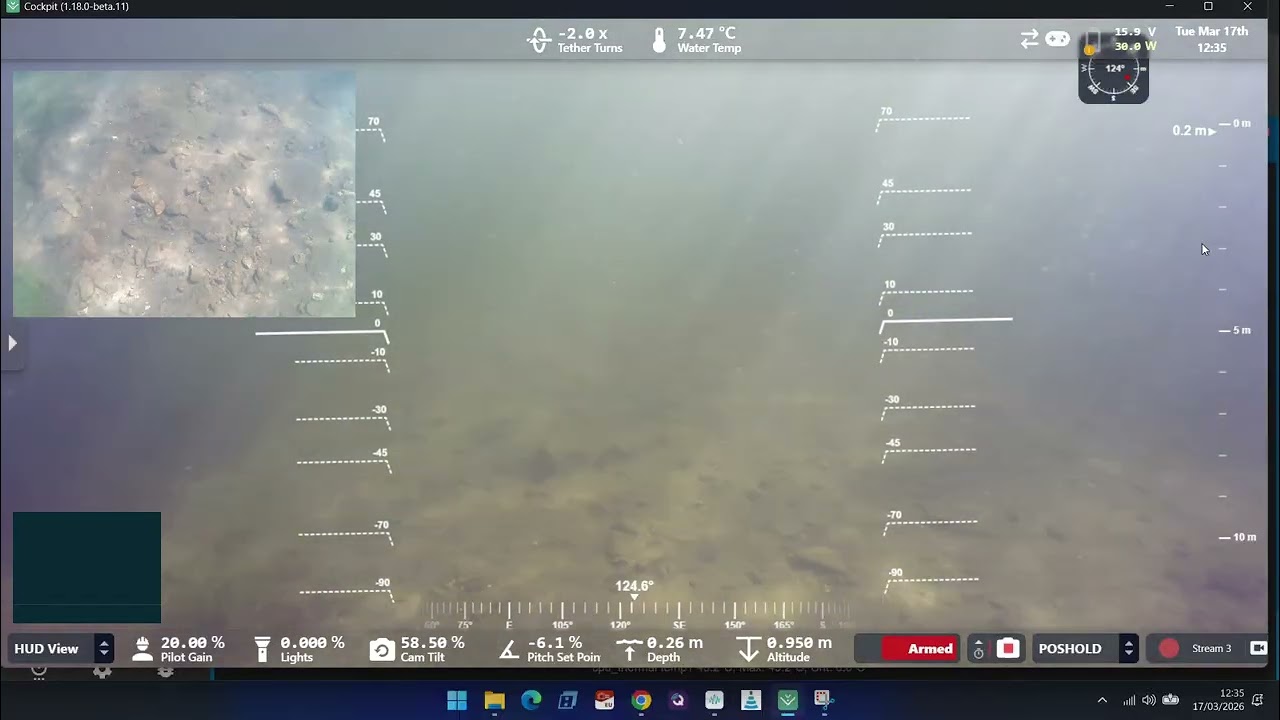
This morning I have tried Cockpit v1.18.2, and can report that the issue of he snapshot stopping recording remains. I have been using snapshot to capture ExploreHD at 1s intervals and have noticed 3 things:
-
A green notification pops up after every recording in the bottom left hand corner confirming the image saved
-
Cockpit screen blinks every time the notification pops up in the bottom left corner
-
Snapshot stops recordings after around 711 captures and will not re-start
Initial thoughts are that above observations 1 & 2 are pretty annoying - however I discovered number 3 happening due to realising that my annoyance for 1 & 2 had ceased.
To re-start recording, I first tried moving the snapshot file to a new folder, then commencing recording - this did not work.
I then closed and re-started Cockpit - this worked (but for another 711 images only), caused my DVL dead reckoning track to deviate and the ROV started playing silly buggers with depth hold.
Hey @3dMB! Really sorry to hear that.
Can you grab me the logs from /menu/settings/dev? They will tell us why the snapshots failed.