We have not used the boat a lot, but things have been working without issue for the past month. The situation without the issue was repeatable. Nothing changed, no software updates and no changes in the hardware. Only just now I updated the BlueOS to version 1.4.2.
Please find the system logs from BlueOS via the link: HydroScout-3 logs
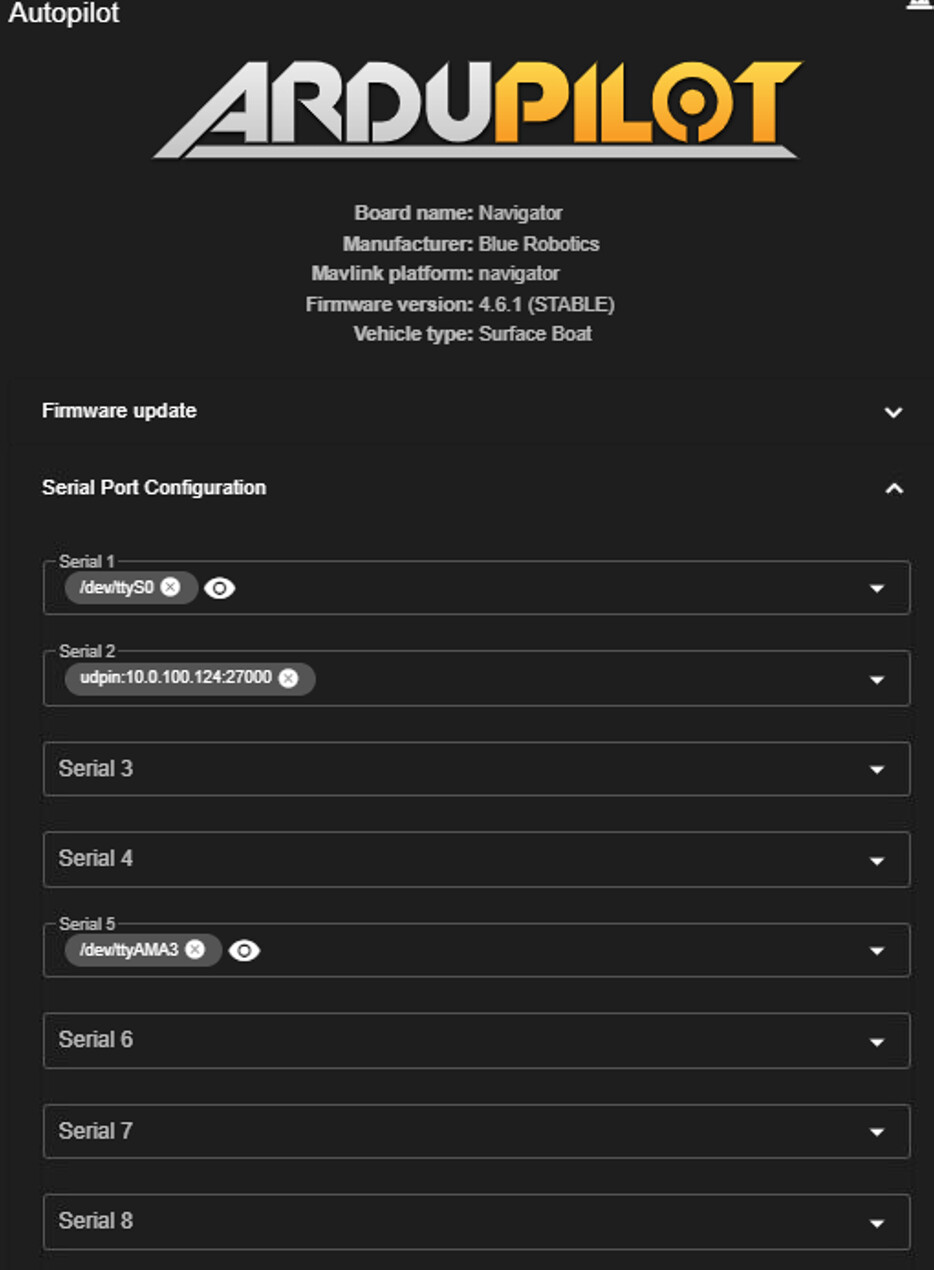
Please set to Serial5_Protocol to none, as only one input should be set - as mentioned previously. Multiple GPS configurations could cause the issue - basically the system is starting up and the autopilot is not receiving the data from the UDP, or has started to use the standard GPS on Serial5 rather than your external input.
I do see “Name ‘GCS Client Link’ already being used by an existing endpoint.” in the logs - you may want to double check your Mavlink Endpoints for duplicates? It also seems you’re using Mavlink Router, the older solution - trying Mavlink Server, selected at the top center of the Mavlink Endpoints page, may improve your results.
I don’t have much experience working with GPS with ArduPilot, but there’s hopefully something relevant in the GPS_RAW_INT, GPS_STATUS, or GPS_INPUT messages (I’m not sure they’ll all be available), which you can view in the BlueOS MAVLink Inspector.
Hi @jtsheedy -
Sorry for the issue! Is there a reason you’re using a non-standard IP address in the serial2 configuration? The recommended value there, according to the FAQ, is udpin:0.0.0.0:27000 - this lets the unit receive from all IP and not a potentially misconfigured one! Have you changed the IP address of BlueOS as well?
What rate are you sending the messages from your GPS?
I assume your BlueOS version is 1.4.2, since 4.6.1 does not exist (yet)!
My multibeam is a fixed IP and requires a specific IP on my computer to be read from so I have modified all the components on the blue boat to be in the 10.00.100.x net. All my components are working fine together and are quite happily seeing each other on my network. Only thing that I can’t get to work is using the heading and position from my SBG Ekinox into the autopilot. It is outputting at 5hz.
I’m using the latest available beta version of Blue OS and latest version of AP firmware
I have tried multiple combinations of the UDPin with the broadcast address(0.0.0.0) to the AP directly(10.0.100.2) I have the GPS2 set per instructions but still no luck.
Hi @jtsheedy -
Are you able to send at 10hz? The Autopilot may require it at that or faster in order to use…
This python script referenced here can be used to test functionality, as it demonstrates heading and position can be sent…
If you continue to have issues, please share a sample output of the messages being sent and a .BIN autopilot log from when the system was armed with the output streamig and serial2 configured to udpin 0.0.0.0 - thanks!
I thought your system only had one GPS, and it was sending messages to the system via the ethernet switch? Have you verified the IP address and configuration of the GPS ? Does the behavior persist where things work nominally after restarting the autopilot after vehicle start-up?
Giving Mavlink Server a try, as mentioned previously, may help - you can do this from the Mavlink Endpoints page in Pirate mode (at the top.)
Thanks for the quick reply. We tried Mavlink Server and now I can see GPS data from our external GPS coming in via the MAVLink Inspector. But this doesn’t solve the issue.
Now what I observe is that the boat doesn’t react on commands I give with the Xbox controller. In our acquisition software it seems that the MAVLink commands are not received or accepted. Please see screenshot below.
Also after restarting the boat the issue persists.
Serial5_protocol is set to NONE.
But when I use the “restart autopilot” button in BlueOS and try again, suddenly the messages are received and I’m able to control the boat. So there’s still a reset of the autopilot required for it to work.
The question remains: why does a restart of the autopilot makes it work? And how can I make it work without needing to reset the autopilot?
That is indeed very strange. However, while your description is good, without log files it is impossible to get to the root of the issue! Can you share BlueOS log files, from the gear in the lower left, and autopilot .BIN files?
Before doing so, enable logging to happen at all times with the LOG_DISARMED parameter set to 1. Then, reboot the system, and correct the issue by restarting the autopilot. Then download and share the BIN and system logs!
I would guess restarting the autopilot is fixing a connection between your non-standard GCS software and the vehicle…
Hi @tony-white, confirmation confirmed. After reboot of the autopilot, no issues. Could we setup a Teams or remote control session to get to the bottom of this?
Are there any updates on this subject regarding bypassing the EK3 filter to inject the external heading value from a Aftermarket system straight as the VFR_HUD/heading?
Also were you able to look at the .bin log files I provided at the other topic?